BenQ GW2480 Eye-Care Monitor for Study stands out as a premier choice for students seeking to enhance their study environment. With its innovative eye-care technology and ergonomic design, this monitor ensures that long hours of study are met with comfort and reduced eye strain. Packed with features tailored for academic success, it serves not just as a visual display but as a vital tool for maintaining focus and efficiency.
Equipped with state-of-the-art specifications, the BenQ GW2480 is designed to meet the diverse needs of students, from online classes to in-depth research. Its sleek aesthetics and robust build quality make it a stylish addition to any study space while promoting a healthier viewing experience. The monitor’s flicker-free technology and low blue light emission are game-changers, allowing users to study longer without discomfort.
Overview of the BenQ GW2480 Eye-Care Monitor: BenQ GW2480 Eye-Care Monitor For Study
The BenQ GW2480 Eye-Care Monitor is designed specifically for students and professionals who spend long hours in front of the screen. With its combination of impressive features and innovative technology, this monitor stands out in the competitive landscape of display options. It boasts a 24-inch Full HD resolution (1920 x 1080) display that provides sharp and vibrant visuals. The sleek design, featuring ultra-slim bezels, allows for an immersive viewing experience, whether for studying, working, or enjoying multimedia content.
The monitor incorporates advanced eye-care technology that includes Flicker-Free and Low Blue Light features, making it an excellent choice for extended use without discomfort. Its build quality is impressive, with a sturdy stand that offers stability, while the minimalist aesthetic blends seamlessly into any workspace. The monitor not only focuses on visual performance but also prioritizes user comfort, ensuring a productive study environment.
Eye-Care Technology
The eye-care features of the BenQ GW2480 are rooted in cutting-edge technology that helps reduce eye strain during prolonged study sessions. The Flicker-Free technology eliminates harmful flickering at all brightness levels, a common issue in traditional monitors that can lead to fatigue and discomfort. Additionally, the Low Blue Light technology filters out a significant amount of blue light emitted from the screen, which is known to disrupt sleep patterns and cause eye strain.
These features are particularly beneficial for students who engage in long hours of reading, research, or online courses. Compared to other monitors in the market, the BenQ GW2480’s eye-care technology is often highlighted for its effectiveness, making it a superior choice for those prioritizing visual health. Many users report a marked difference in comfort levels when switching to this monitor, indicating benefits that extend beyond mere surface quality.
Ergonomics and Adjustability
The BenQ GW2480 is designed with ergonomic considerations that enhance user comfort during study sessions. It features height adjustment and tilt functions, allowing users to position the monitor at an ideal angle that reduces neck and back strain. This level of adjustability is crucial for maintaining good posture, particularly during long hours of work or study.
Proper monitor positioning can significantly impact productivity. By adjusting the monitor to eye level, users can minimize the risk of repetitive strain injuries, ensuring a healthier study environment. The thoughtful design elements of the GW2480 reflect a commitment to user ergonomics, making it a practical choice for students aiming to optimize their workspace.
Connectivity Options, BenQ GW2480 Eye-Care Monitor for Study
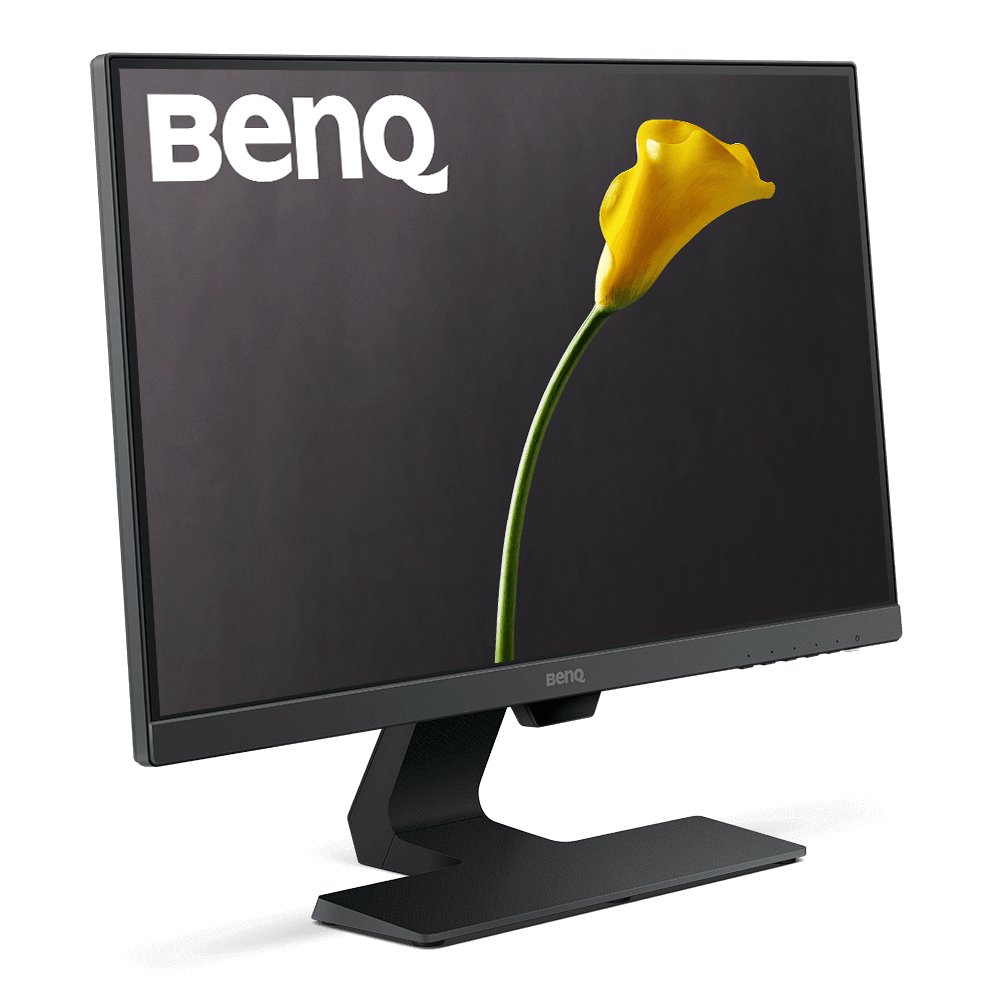
The BenQ GW2480 is equipped with a range of connectivity options that cater to various setups, making it highly versatile for students with multiple devices. The monitor features:
- HDMI: Provides a high-quality digital connection ideal for laptops and gaming consoles.
- DisplayPort: Supports higher resolutions and refresh rates, suitable for advanced computing tasks.
- VGA: Offers compatibility with older devices, ensuring practicality across generations of technology.
These connectivity options ensure that students can easily connect their laptops, desktops, or other devices without hassle. In a multi-device study environment, the availability of diverse input ports allows for efficient workflow management, enhancing overall productivity.
Real-World User Experience
User experiences with the BenQ GW2480 highlight its effectiveness for studying purposes. Many students report a significant reduction in eye strain during online classes and extensive research work. Testimonials often praise the monitor for its vibrant colors and clarity, allowing for an immersive learning experience.
In specific scenarios, such as attending virtual lectures or working on projects, users appreciate the monitor’s ability to deliver consistent performance without causing fatigue. Common feedback includes positive remarks on the eye-care features, which many users find essential for maintaining focus. However, some users have noted a desire for more advanced color calibration options, though this does not detract from the overall satisfaction.
Price and Value Proposition
When considering the pricing of the BenQ GW2480, it competes effectively with similar monitors in its category. The monitor is often priced competitively, making it accessible for students without sacrificing quality. Its combination of eye-care technology, ergonomic design, and reliable performance presents a strong value proposition.
Investing in the BenQ GW2480 can yield long-term benefits for students. The reduced risk of eye strain and discomfort translates to enhanced study sessions, ultimately improving academic performance. Given the importance of maintaining visual health, the monitor offers a wise investment for those committed to their studies.
Maintenance and Care
To ensure the longevity of the BenQ GW2480, regular maintenance is essential. Users are advised to:
- Keep the screen clean using a microfiber cloth to avoid scratches and smudges.
- Avoid using harsh chemicals or abrasive materials when cleaning.
- Regularly check for firmware updates to maintain optimal performance.
Cleaning the screen effectively involves a gentle approach, ensuring that the display remains in pristine condition. Troubleshooting common issues, such as connectivity problems or display settings, can typically be resolved by following the user manual or online resources provided by BenQ. By adhering to these care guidelines, users can extend the lifespan of their monitor and enjoy its benefits for years to come.