Tuya Smart WiFi Touch Light Switch stands at the forefront of modern home automation, bringing convenience and sophistication to your living space. This innovative device combines sleek design with advanced technology, allowing users to control their lighting with ease. With its intuitive touch interface and seamless app integration, the Tuya Smart WiFi Touch Light Switch transforms any standard light into a smart fixture, enhancing not just functionality but also energy efficiency in today’s homes.
Offering a multitude of features including compatibility with major smart home ecosystems and remote control options, this smart switch is designed for both tech enthusiasts and everyday homeowners. Its installation is straightforward, making it accessible for anyone looking to upgrade their home lighting with modern solutions.
Overview of Tuya Smart WiFi Touch Light Switch
The Tuya Smart WiFi Touch Light Switch is a modern solution designed to enhance the convenience of home lighting control. This smart switch integrates seamlessly with WiFi networks, allowing users to manage lighting from their smartphones or through voice commands. Its sleek design and touch-sensitive interface make it not only functional but also a stylish addition to any home environment.
Key features of the Tuya Smart WiFi Touch Light Switch include remote control via the Tuya Smart App, compatibility with voice assistants like Amazon Alexa and Google Assistant, and the ability to schedule lighting times. The switch supports both single and multi-gang configurations, providing flexibility for various lighting setups. Utilizing a smart light switch offers several benefits, including energy savings, enhanced control over lighting, and increased home security by allowing users to turn lights on or off remotely.
Installation Process
Installing the Tuya Smart WiFi Touch Light Switch is straightforward if users follow the correct steps. Here’s a detailed guide:
1. Gather Necessary Tools and Materials:
– Phillips screwdriver
– Wire stripper
– Tape measure
– Voltage tester
– Wire nuts
2. Step-by-Step Installation Procedure:
– Turn Off Power: Ensure the power to the existing switch is turned off at the circuit breaker.
– Remove Existing Switch: Carefully unscrew and remove the old switch from the wall.
– Connect Wiring: Connect the wires from the wall to the Tuya switch according to the color coding (black to live, white to neutral, and green for ground).
– Secure the Switch: Once connected, push the wires back into the wall box and secure the switch with screws.
– Turn On Power: Restore power at the circuit breaker and test the switch.
3. Common Installation Issues and Solutions:
| Issue | Solution |
|---|---|
| No power to the switch | Check if the circuit breaker is turned on and if connections are secure. |
| Switch not connecting to WiFi | Ensure the WiFi network is functioning and within range; reset the switch if necessary. |
| Touch interface unresponsive | Restart the switch and ensure proper installation. |
Compatibility with Smart Home Systems
The Tuya Smart WiFi Touch Light Switch is compatible with a variety of smart home ecosystems, including Tuya Smart, Google Home, and Amazon Alexa. Integration with these platforms is usually straightforward and enhances the overall smart home experience.
To integrate the switch with other devices, users must download the Tuya Smart App, which guides them through the pairing process. Once connected, the switch can be programmed to operate in conjunction with other smart devices, such as smart bulbs and sensors. For instance, users can set up an automation where the lights turn on automatically when a smart motion sensor detects movement, improving home security and convenience.
User Interface and Control Options
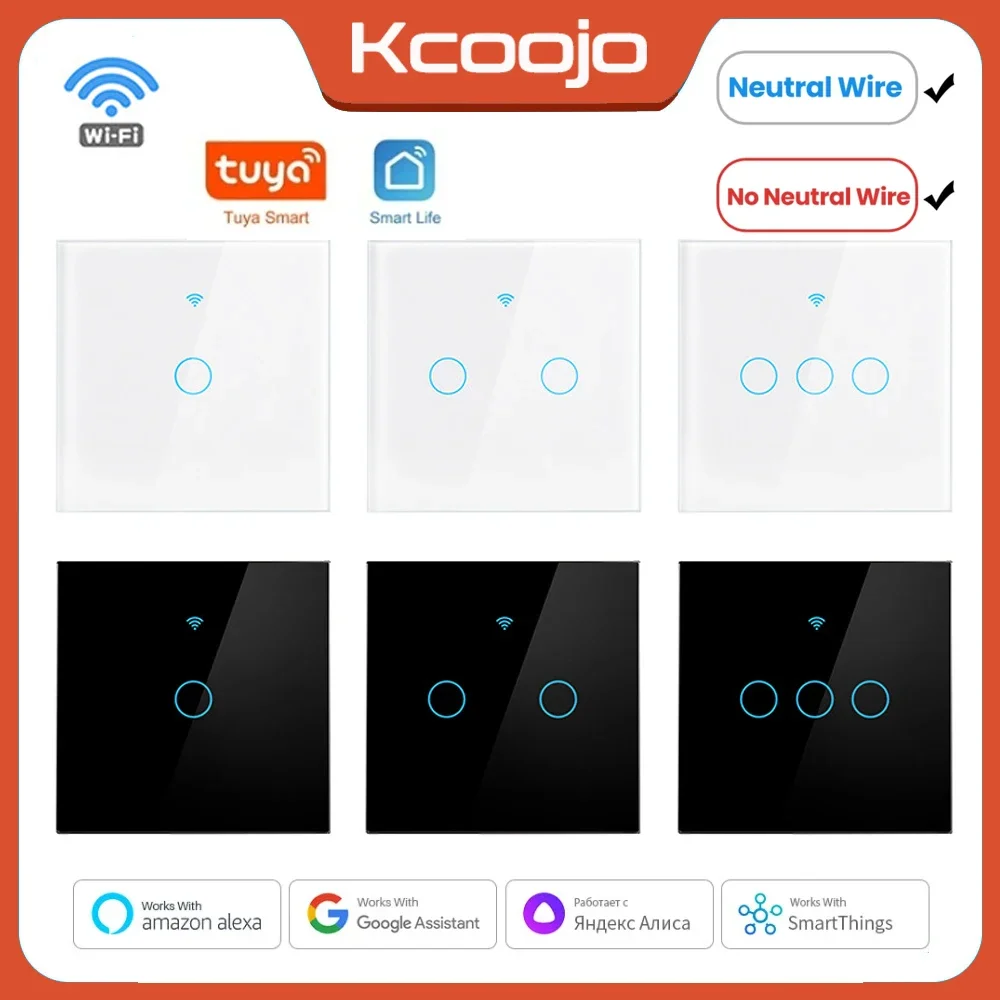
The touch interface of the Tuya Smart WiFi Touch Light Switch is designed for ease of use. The sleek glass panel is sensitive to touch, allowing users to turn lights on and off with a simple tap. Additionally, the interface provides visual feedback, illuminating when activated.
Control options via the Tuya Smart App are extensive. Users can adjust brightness levels, set timers, and create schedules for when lights should be on or off. Feedback from users often highlights the convenience of remote control capabilities, particularly the integration with voice control features, which allow for hands-free operation.
Energy Efficiency and Savings
The Tuya Smart WiFi Touch Light Switch significantly contributes to energy savings. By allowing users to monitor and control their lighting usage remotely, it promotes reduced energy consumption. Studies indicate that smart switches can lower energy usage by approximately 20-30% when utilized effectively.
To maximize energy efficiency when using the switch, consider the following tips:
- Utilize scheduling features to ensure lights are off when not needed.
- Adjust brightness levels according to the time of day.
- Regularly review usage statistics provided by the app.
- Integrate with motion sensors for automatic on/off functionality.
Troubleshooting Common Issues
Users may encounter a few common operational issues with the Tuya Smart WiFi Touch Light Switch. Here are some troubleshooting steps:
– Switch not responding: Ensure the switch is powered and connected to the WiFi.
– App crashes or fails to sync: Update the app and restart the smartphone if necessary.
– Error codes: Familiarize yourself with common error codes that can assist in diagnostics.
| Error Code | Meaning |
|---|---|
| E1 | WiFi connection error |
| E2 | Overcurrent protection activated |
| E3 | Temperature protection triggered |
Preventive measures include regular firmware updates and ensuring the switch is not overloaded beyond its rated capacity.
Customer Reviews and Feedback
Overall customer satisfaction for the Tuya Smart WiFi Touch Light Switch is high, with many users praising its ease of installation and integration with smart home systems. Common compliments include its sleek design and reliable performance. However, some users have reported occasional connectivity issues, particularly with older routers.
Customer feedback has been instrumental in guiding product updates and improvements. For example, frequent requests for additional features such as more robust scheduling options have led to updates in the app.
Comparing with Other Smart Light Switches
When compared to competitors, the Tuya Smart WiFi Touch Light Switch stands out for its affordability and user-friendly installation process.
| Feature | Tuya Switch | Competitor A | Competitor B |
|---|---|---|---|
| Price | $$ | $$$ | $$$ |
| Voice Assistant Compatibility | Yes | Yes | No |
| Scheduling Features | Yes | Yes | Limited |
Choosing Tuya over other brands can be beneficial due to its innovative features like remote control via the app and robust energy monitoring options.
Future of Smart Lighting Solutions, Tuya Smart WiFi Touch Light Switch
Emerging trends in smart lighting technology suggest a shift towards more integrated systems that enhance user control and energy efficiency. Future capabilities expected from devices like the Tuya switch include advanced AI features that adapt to user preferences and environmental conditions automatically.
Potential market developments in smart home automation focus on interoperability between devices, ensuring a smoother user experience across various platforms. As more consumers embrace smart home technologies, products like the Tuya Smart WiFi Touch Light Switch will play a crucial role in shaping the future of home automation.