Google Nest Cam (Battery) Smart Security Camera is revolutionizing home security with its blend of advanced technology and user-friendly features. This innovative device offers unparalleled flexibility, allowing homeowners to monitor their property with ease and confidence. With its battery-operated design, the Nest Cam ensures you have the freedom to place it wherever you need, providing critical surveillance capabilities without the hassle of wiring.
From installation to performance, this camera stands out in the crowded security market. It boasts impressive video quality, night vision, and motion detection, making it an essential addition to any smart home ecosystem. Furthermore, its seamless integration with other devices enhances the overall security experience, ensuring you stay connected and informed at all times.
Overview of Google Nest Cam (Battery)
The Google Nest Cam (Battery) is a versatile and innovative security camera designed to enhance home security with its wireless capabilities. This smart security camera boasts a range of features that set it apart in the market. It offers a high-definition video feed, night vision capabilities, and advanced motion detection, ensuring users can monitor their property day and night. The primary use cases for this camera include indoor and outdoor surveillance, allowing homeowners to keep an eye on their property from anywhere via a mobile app. Additionally, the benefits of a battery-operated camera include the flexibility of placement without the hassle of wired connections, making it ideal for various environments.
Key Features
The Google Nest Cam (Battery) is packed with features designed for optimal performance:
- High Definition Video: Offers 1080p resolution for clear image quality.
- Night Vision: Equipped with infrared capabilities for nighttime monitoring.
- Two-Way Audio: Enables communication through the camera with built-in speakers and a microphone.
- Motion Detection: Advanced AI detects people and pets, sending alerts to your device.
- Wireless Design: Battery-operated for easy installation without wires.
Installation and Setup
Installing the Google Nest Cam (Battery) is a straightforward process, designed to be user-friendly even for those with limited technical experience.
Step-by-Step Installation Guide
To install the Google Nest Cam (Battery), follow these steps:
- Unbox the camera and ensure all components are included.
- Download the Google Home app on your smartphone or tablet.
- Create or log into your Google account.
- Power on the camera and follow the app’s prompts to connect it to your Wi-Fi network.
- Mount the camera in your desired location using the provided mounting hardware.
Requirements and Tools
For installation, you’ll need:
- A stable Wi-Fi connection.
- The Google Home app, available on iOS and Android.
- Basic tools like a screwdriver for mounting (if necessary).
Optimizing Camera Placement
To ensure maximum coverage:
- Position the camera at least 7 feet off the ground for an optimal field of view.
- Aim the camera towards high traffic areas to capture movement effectively.
- Ensure there are no obstructions, such as trees or walls, that could impede the camera’s view.
Performance and Functionality
The performance of Google Nest Cam (Battery) stands out compared to similar security cameras on the market.
Battery Life Comparison
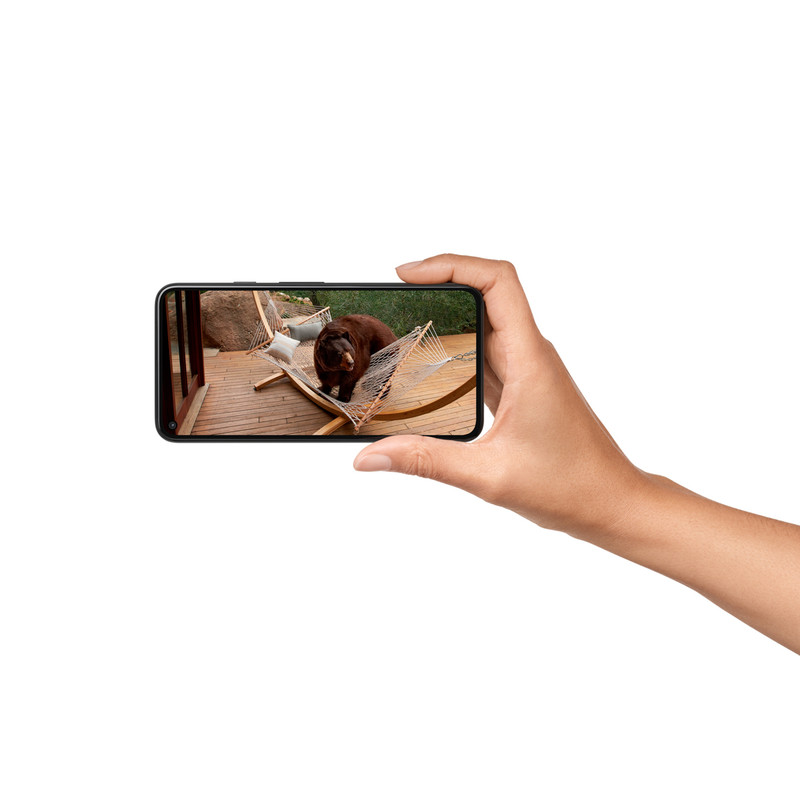
With a battery life of up to 7 months on a single charge, the Google Nest Cam (Battery) outperforms many competitors, which often require more frequent recharging.
Video Quality and Night Vision
This camera features high-quality 1080p video resolution coupled with enhanced night vision capabilities, ensuring clear visibility even in low light conditions. Users can expect sharp details and color accuracy.
Motion Detection Features
The camera’s motion detection system utilizes AI technology to differentiate between people, pets, and objects, sending targeted alerts to users. This feature minimizes false alarms and ensures users stay informed about significant activities.
Smart Home Integration
The Google Nest Cam (Battery) seamlessly integrates with a range of smart home devices, providing an enhanced security experience.
Integration with Smart Home Devices, Google Nest Cam (Battery) Smart Security Camera
It works effortlessly with other Nest products, allowing users to create a cohesive smart home environment.
Compatibility with Voice Assistants
The camera is compatible with Google Assistant, enabling users to control it using voice commands, enhancing accessibility and user experience.
Centralized App Management
Centralizing smart security devices within the Google Home app allows users to monitor and control all devices from one interface, streamlining user interaction.
Privacy and Security Features
Privacy is a paramount concern for users of smart security devices, and the Google Nest Cam (Battery) addresses this with robust features.
Customizable Privacy Settings
Users can customize privacy settings, including the option to disable audio recording and set specific monitoring zones.
Data Protection and Encryption
The camera employs advanced encryption methods to protect user data, ensuring that footage and account information remain secure.
Importance of Two-Factor Authentication
Two-factor authentication adds an extra layer of security to user accounts, significantly decreasing the risk of unauthorized access.
User Experience and Feedback
User reviews provide valuable insights into the Google Nest Cam (Battery)’s performance and reliability.
User Reviews and Ratings
Many users praise the camera for its video quality and ease of installation, with ratings reflecting high satisfaction. Common complaints include occasional connectivity issues.
Customer Service Contributions
Google’s customer service has been reported to be responsive and helpful, contributing significantly to overall user satisfaction and resolution of issues.
Price and Value Comparison
When compared to its competitors, the Google Nest Cam (Battery) offers a competitive price point that reflects its extensive features.
Price Comparison
The table below Artikels the price-to-value ratio of top smart security cameras including the Google Nest Cam (Battery).
| Camera Model | Price | Key Features |
|---|---|---|
| Google Nest Cam (Battery) | $179 | 1080p, Night Vision, Two-Way Audio |
| Ring Stick Up Cam Battery | $99 | 1080p, Two-Way Audio, Limited Night Vision |
| Arlo Essential Spotlight Camera | $129 | 1080p, Night Vision, Spotlight |
Maintenance and Troubleshooting: Google Nest Cam (Battery) Smart Security Camera
Routine maintenance is essential for extending the life of the Google Nest Cam (Battery) and ensuring optimal performance.
Routine Maintenance Tips
To keep the camera functioning well:
- Regularly check the battery level and recharge as necessary.
- Clean the camera lens to ensure clear video quality.
- Review and adjust settings regularly to optimize performance.
Common Troubleshooting Scenarios
Users have encountered various issues, such as connectivity problems and notification delays. Solutions include:
- Resetting the camera and reconnecting to the Wi-Fi network.
- Checking for app updates to ensure the latest features are enabled.
User Experiences with Troubleshooting
Many users have reported successful resolutions through customer support or community forums, illustrating the importance of accessible troubleshooting resources.