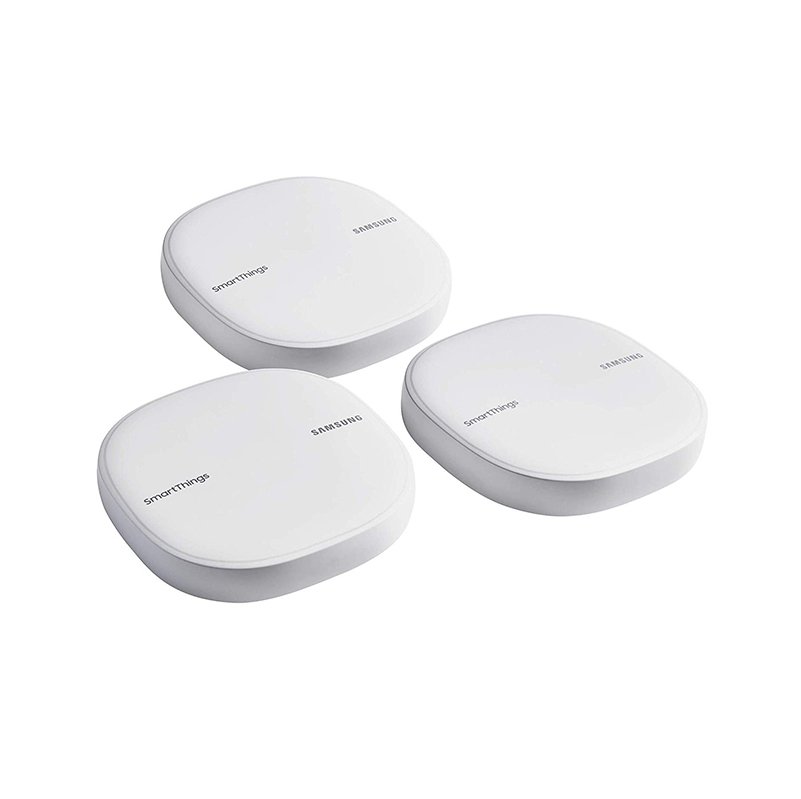
Samsung SmartThings WiFi Mesh Router takes center stage as a game-changer for home networking. This innovative router leverages mesh technology to create a more robust and seamless WiFi experience, ideal for today’s smart homes where connectivity is crucial. With its ability to eliminate dead zones and provide reliable coverage, it makes managing multiple smart devices easier and more efficient.
Equipped with advanced features and integration capabilities, the Samsung SmartThings WiFi Mesh Router stands out in the crowded market of home networking solutions. Understanding its functionality and installation process can help users maximize their smart home systems and enhance their overall internet experience.
Overview of Samsung SmartThings WiFi Mesh Router
The Samsung SmartThings WiFi Mesh Router serves as a central hub for managing and optimizing home networks, particularly in environments filled with smart devices. It combines the functionalities of a powerful router and smart home controller in one device. The primary functions include providing seamless WiFi coverage throughout the home, managing connected smart gadgets, and enhancing overall network reliability through advanced mesh networking technology.
Mesh networking technology allows devices to communicate with one another, creating a unified network that expands coverage without compromising speed. This is especially beneficial for home users, as typical WiFi routers often struggle to maintain signal strength over larger areas or through obstacles like walls. In today’s smart home environment, having a reliable WiFi system is crucial for ensuring that all connected devices, from smart speakers to security cameras, operate smoothly and efficiently.
Features of Samsung SmartThings WiFi Mesh Router
The Samsung SmartThings WiFi Mesh Router is packed with features that cater to modern smart home demands. Key features include:
- Coverage Area: The router can cover up to 1,500 square feet per unit, allowing users to expand their network by adding more units for larger homes.
- Speed: With AC1300 WiFi speeds, it delivers fast internet access suitable for streaming, gaming, and browsing.
- Connectivity Options: It supports dual-band connectivity, providing both 2.4 GHz and 5 GHz bands to optimize performance based on user needs.
In comparison to previous models and competing brands, the SmartThings WiFi stands out due to its dual functionality as a mesh router and smart home hub. Its integration capabilities with other smart home devices, such as lights, cameras, and thermostats, allow for extensive automation and control from a single application.
Installation Process
Setting up the Samsung SmartThings WiFi Mesh Router is a straightforward process. Here’s a step-by-step guide for installation:
- Unbox the router and place it in a central location in your home for optimal coverage.
- Download the SmartThings app on your smartphone.
- Connect the router to your modem using an Ethernet cable.
- Follow the app instructions to create a new network and set up your WiFi credentials.
- Position additional mesh units in areas where coverage is needed and add them through the app.
Common installation issues can often include connectivity problems or app-related errors. To troubleshoot, ensure that your modem is functioning and check for any firmware updates in the app. For maximum coverage, place the router in elevated positions away from electronic devices that can cause interference.
Performance and Reliability
Insights from user reviews indicate that the Samsung SmartThings WiFi Mesh Router performs well under various conditions. Many users have reported consistent and reliable internet speeds even during peak usage times.
Performance metrics show that latency remains low, making it suitable for applications demanding high speeds, like online gaming or video streaming. The router’s durable design is also highlighted as it operates effectively in different environments, whether it’s a small apartment or a larger family home.
User Experience
User testimonials about the Samsung SmartThings WiFi Mesh Router reveal a generally positive experience. Feedback highlights include:
- Ease of Use: Many users appreciate the intuitive setup process via the SmartThings app.
- Customer Support: Users have praised the responsive customer support team for resolving issues promptly.
- Overall Satisfaction: The integration with other smart home devices has received high marks, enhancing the overall usability of their smart ecosystem.
While most feedback is positive, some users have expressed concerns over occasional connectivity drops, especially with multiple devices connected simultaneously.
Security Features
Security is a significant concern for any home network, especially with the increasing number of smart devices. The Samsung SmartThings WiFi Mesh Router comes equipped with several security measures, including:
- WPA2 Encryption: This industry-standard encryption protects your network from unauthorized access.
- Network Isolation: Guest networks can be created to keep visitors away from your primary network.
- Automatic Updates: The router regularly updates its firmware to address vulnerabilities and enhance security features.
These security measures are crucial for protecting smart home devices, which can be vulnerable to cyber threats. Compared to other routers in the same category, the SmartThings WiFi offers robust security features that stand out in the market.
Maintenance and Support, Samsung SmartThings WiFi Mesh Router
Regular maintenance practices can help ensure optimal performance of the Samsung SmartThings WiFi Mesh Router. Suggested practices include:
- Periodically rebooting the router to clear out temporary issues.
- Checking for firmware updates regularly through the SmartThings app.
- Positioning the router appropriately and avoiding obstructions that could weaken the signal.
Common issues that may arise over time include slow speeds or connectivity problems, which can usually be resolved by following troubleshooting guides available in the app. Samsung also provides a comprehensive support system, including online resources, FAQs, and customer service lines, ensuring users have access to assistance when needed.
Cost and Value Analysis
When compared to other similar products in the market, the Samsung SmartThings WiFi Mesh Router is priced competitively. Its combination of features, performance, and user satisfaction provides significant value.
Long-term savings can be realized through reliable coverage that minimizes the need for repeated network troubleshooting or additional hardware purchases. The investment in a quality mesh network is justified by the enhanced performance and reliability in managing a growing number of connected devices in the home.